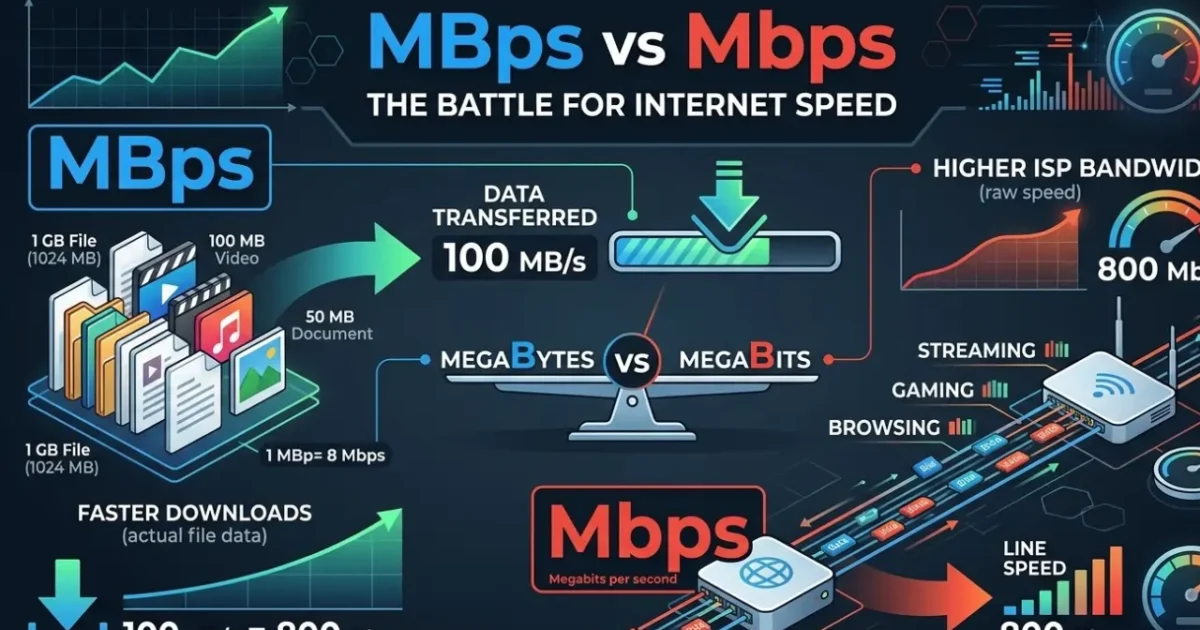
If you’ve ever looked at your internet plan or run a speed test, you’ve seen numbers like 100 Mbps or 50 MBps. They look almost identical, but that tiny difference between the lowercase b and uppercase B changes everything.
Many people believe they are getting slower internet than they paid for, simply because they confuse megabits with megabytes. In this guide, I’ll explain the difference in simple terms, show you how to convert between them, and help you understand what your speed test results actually mean.
What Is Mbps? (Megabits per Second)
Mbps stands for Megabits per second.
- A bit is the smallest unit of digital data (a 0 or 1).
- When internet service providers (ISPs) advertise plans, they almost always use Mbps.
- For example: “Up to 200 Mbps download speed.”
Mbps measures the speed of the connection itself – how fast data travels between your device and the internet.
What Is MBps? (Megabytes per Second)
MBps stands for Megabytes per second.
- A byte is a group of 8 bits.
- MBps is commonly used to show file transfer speeds – for instance, when you download a game, a movie, or see the progress bar in your browser.
If you see 10 MBps in your download manager, it means 10 megabytes are being saved to your device every second.
The Crucial Difference: Bit vs Byte
The key is remembering this simple relationship:
1 Byte = 8 bits
Therefore:
- 1 MBps (megabyte per second) = 8 Mbps (megabit per second)
In other words, MBps is eight times larger than Mbps for the same numeric value.
Why ISPs Use Mbps (and Not MBps)
Internet providers use Mbps because it makes the numbers look bigger. A 100 Mbps plan sounds more impressive than a 12.5 MBps plan – even though they are exactly the same speed.
This marketing practice is standard worldwide, but it often leads to confusion. When you run a speed test on a site like iternetspeedtesters.online, the result is shown in Mbps because that’s the industry standard for measuring connection speed.
How to Convert Mbps to MBps (and Vice Versa)
Conversion is easy:
- To convert Mbps → MBps: divide by 8.
Example: 100 Mbps ÷ 8 = 12.5 MBps - To convert MBps → Mbps: multiply by 8.
Example: 20 MBps × 8 = 160 Mbps
Here’s a quick reference table:
| Internet Plan (Mbps) | Actual Download Speed (MBps) |
|---|---|
| 30 Mbps | 3.75 MBps |
| 50 Mbps | 6.25 MBps |
| 100 Mbps | 12.5 MBps |
| 300 Mbps | 37.5 MBps |
| 500 Mbps | 62.5 MBps |
| 1 Gbps (1000 Mbps) | 125 MBps |
Real‑World Examples: What Does This Mean for You?
1. Downloading a File
Suppose you have a 100 Mbps connection and want to download a 10 GB game.
- 10 GB = 10,240 MB (since 1 GB = 1024 MB)
- Your maximum download speed = 12.5 MBps
- Time = 10,240 MB ÷ 12.5 MBps ≈ 819 seconds (~13.6 minutes)
If you mistakenly thought 100 Mbps meant 100 MBps, you would expect the download to finish in under two minutes – which would only happen on a much faster (800+ Mbps) plan.
2. Streaming Video
- Netflix 4K recommends 25 Mbps (≈ 3.1 MBps)
- Zoom HD video call needs about 3–4 Mbps (≈ 0.5 MBps)
When your plan shows 50 Mbps, it means you can comfortably handle multiple 4K streams or video calls simultaneously.
3. Online Gaming
Gaming requires low ping (latency) rather than ultra‑high bandwidth. A 50 Mbps connection is more than enough for gaming; the game itself uses only a few megabits per second.
Why Do Speed Tests Show Mbps?
Speed test tools – including the one on this site – display results in Mbps because they measure the raw speed of your internet connection (the bitrate). This matches how ISPs advertise their plans, making it easier to compare what you pay for versus what you actually receive.
When you run a test at iternetspeedtesters.online, you’ll see your download Mbps, upload Mbps, and ping. These numbers reflect the performance of your connection, not the file‑copy speed you might see in your operating system.
Common Myths & Misunderstandings
- “My internet is 8 times slower than advertised!”
Not true. You just need to divide the Mbps number by 8 to get the MBps you’ll see during file downloads. - “My speed test shows 100 Mbps, but Steam only downloads at 12 MB/s – something is wrong.”
Nothing is wrong. Steam displays in MB/s (megabytes per second). 100 Mbps ÷ 8 = 12.5 MB/s, so you’re actually getting the full speed. - “MBps is always better.”
Both units are valid; they just measure different things. Always check whether the number refers to bits (b) or bytes (B).
Tips to Get the Most Out of Your Internet Speed
- Run tests at different times of the day.
Speeds can vary during peak hours. Use a reliable tool like our internet speed test to track your connection over time. - Check your plan details.
Confirm whether your ISP lists speeds in Mbps or MBps. In 99% of cases, it’s Mbps. - Use a wired connection for accurate tests.
Wi‑Fi can add interference. For the most accurate measurement of what your ISP delivers, connect directly via Ethernet. - Understand your needs.
A family of four streaming 4K content may need 200–300 Mbps. A single user browsing and emailing can do fine with 50 Mbps.
Conclusion
The difference between Mbps and MBps is simple but essential:
- Mbps = Megabits per second (connection speed)
- MBps = Megabytes per second (file transfer speed)
- 1 MBps = 8 Mbps
Next time you see an internet plan or run a speed test, remember to check the letter case. Knowing this distinction will help you set realistic expectations, troubleshoot speed issues, and choose the right plan for your household.
Ready to see what speed you’re actually getting?
Test your internet connection now with our free, no‑flash speed test tool:
👉 Start Speed Test
This article is part of our series helping you understand internet speeds. Have questions? Feel free to contact us or explore our other guides.
Broadband technology writer. Helping readers understand and optimize their internet connections since 2018.
Check Your Internet Speed
Free speed test — download, upload, ping & jitter in 60 seconds.
Run Free Test →